
Event info


What is the new feature?
Wildmoka has enhanced its TikTok integration with a new Drafts feature, which gives you the power to choose between publishing a live post and a draft. Send clips to TikTok Drafts to review and finalize social content directly within your brand’s TikTok account before it goes live. This new feature adds even more flexibility to the Wildmoka TikTok integration for media teams.
Why does it matter?
In 2026, vertical video is no longer optional for media organizations, and having a reliable TikTok content engine is more important than ever.
The algorithmic advantage of native posting
TikTok creators use Drafts because it offers an algorithmic advantage. According to creator trends from 2025-2026, manual posting from drafts often results in higher reach — up to 60% more views in some tests — compared to third-party auto-schedulers. This is because the TikTok algorithm favors "native activity,” such as opening a draft, adding a trending sound, and hitting “Post.”
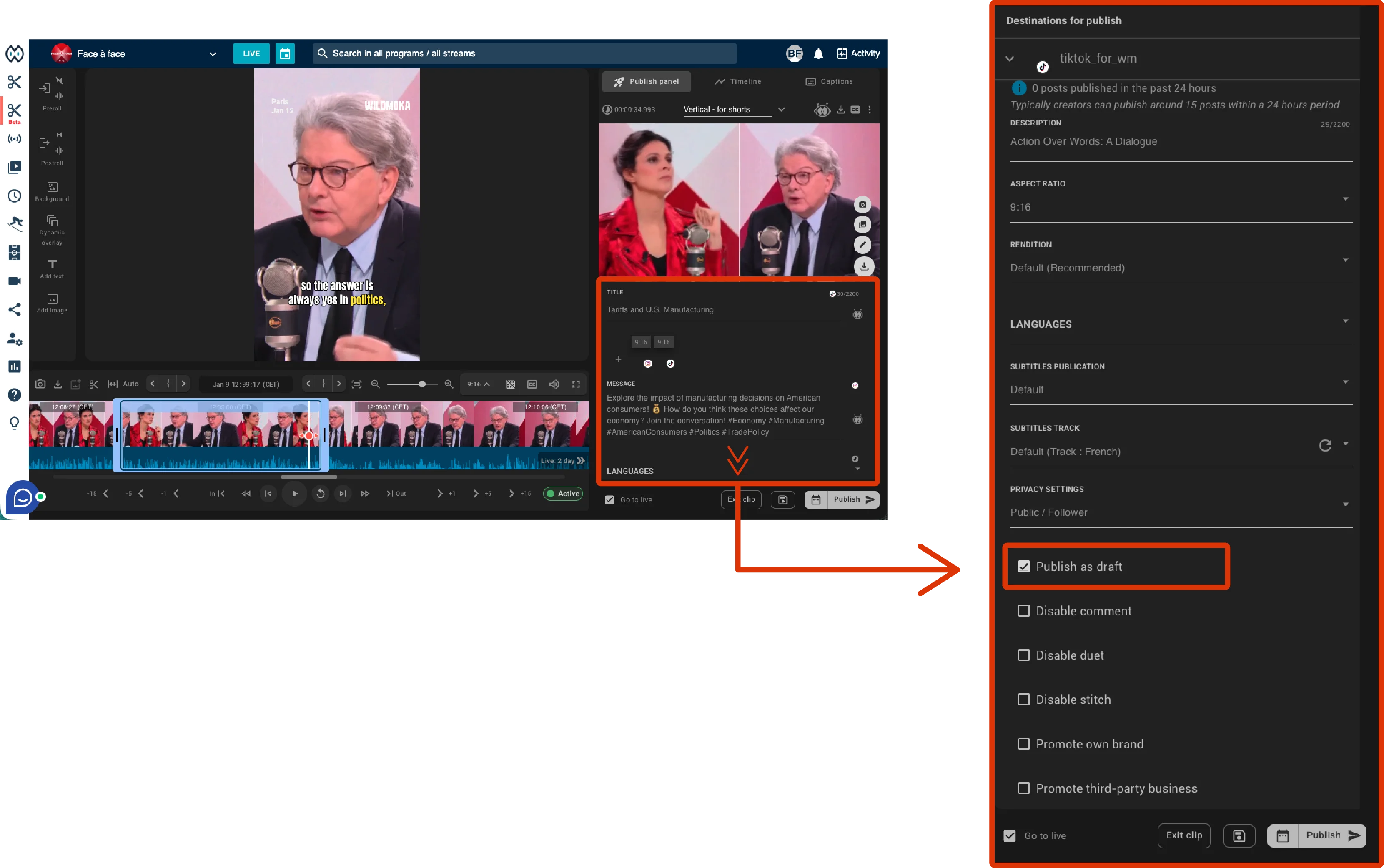
How to save your video as a TikTok Draft in Wildmoka
The TikTok Drafts feature is available in both legacy and new versions of the Wildmoka Clip Editor.
Steps
- Open the Publish panel in the Clip Editor
- Navigate to the "TikTok Publish" section
- Check the option "Publish as Draft"
- Click "Publish."
Your video will now be saved to your TikTok Drafts folder for native posting.